Sections
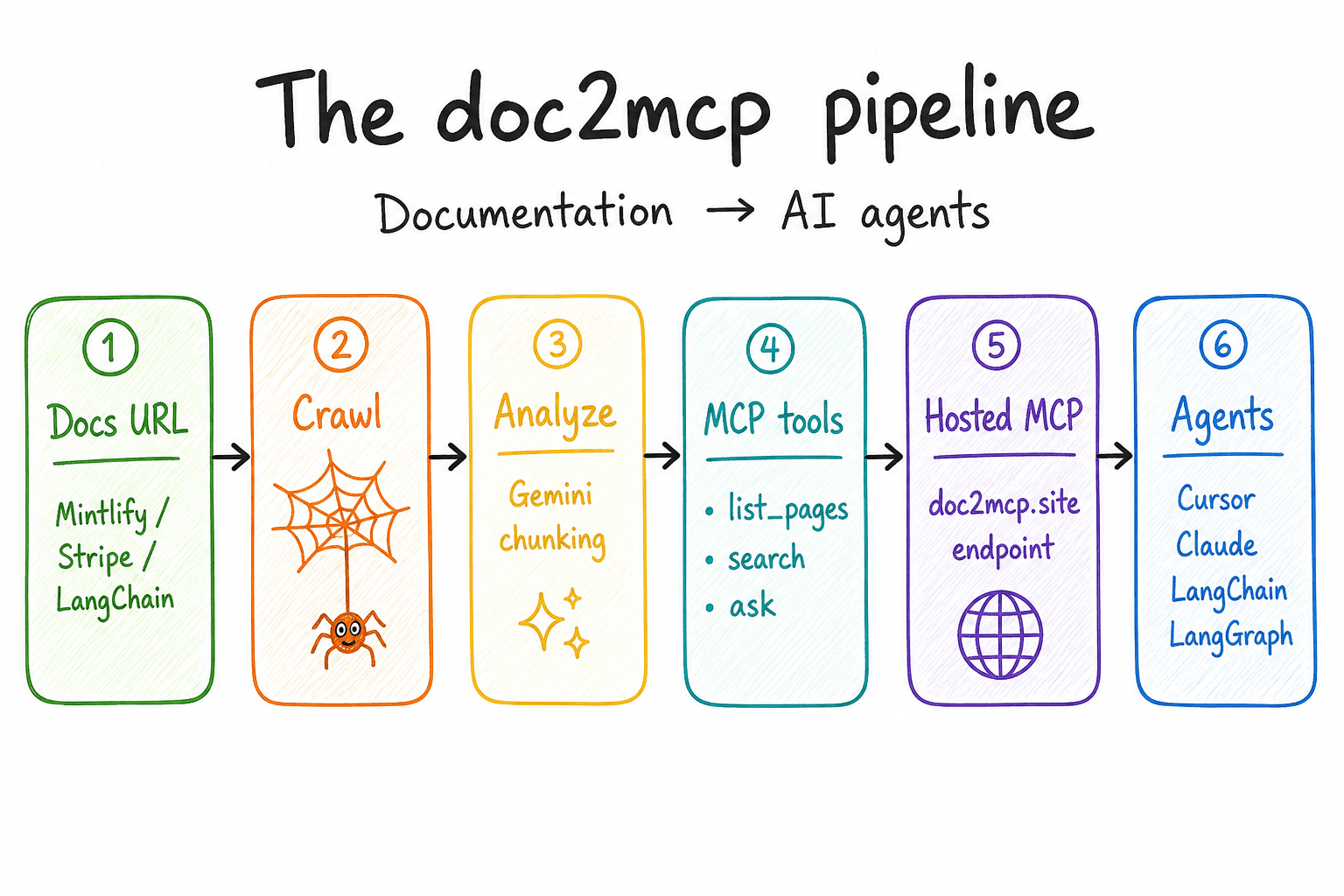
Transform any docs site into a hosted MCP server. Cursor, Claude, OpenAI Agents, and more can search, read, and cite your real API documentation — without hand-written tool wrappers.
Model Context Protocol basics before you wire your first server.
Documentation infrastructure — crawl, index, host, and connect agents.
Generate your first MCP from any docs URL in about five minutes.
Step-by-step from pasted URL to a working server in Cursor.
Full write path: URL → crawl → tools → hosted endpoint.
Cursor, Claude, VS Code, Windsurf, and OpenAI Agents.
Stripe, Supabase, and GitHub documentation → live MCP.
Try it now
Paste a documentation URL in the app — most conversions finish in under a minute.
